For your next move
Moving house? Know what's in every box before you open it.
Stick on a QR label. Snap a photo as you pack. When you need something, scan the box or search your inventory. Even when everything still says “Kitchen”.
Label my boxes free25 new printable labels a month on a free account
No card needed. No app to install.
A little less box chaos.
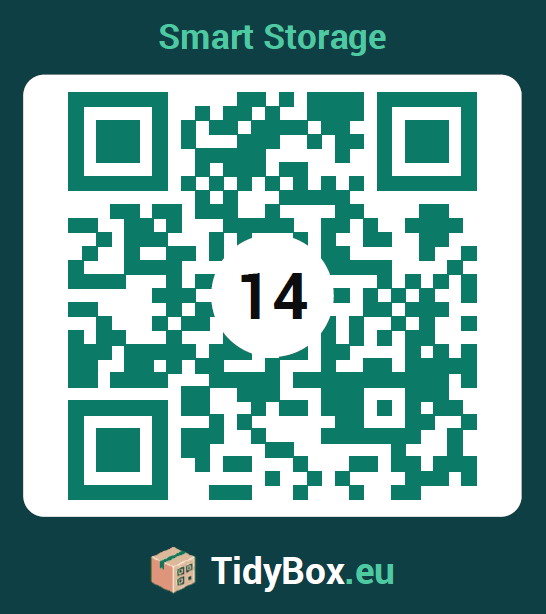
Scanned just now
Box 14Goes to: Kitchen

Contents at a glance
- Teapot
- Cups ×6
The move is done. The unpacking isn't.
A marker pen and “Kitchen” on the side only gets you so far.
Five boxes say “Kitchen”
And the kettle is in none of the first four you open.
Every room is a guessing game
Boxes land in the wrong room. You end up carrying them twice.
Weeks later, still searching
The spare charger. The winter coats. Somewhere in a box.
Your move, box by box
A few seconds while packing. A lot less searching later.
Before packing
Print or stick labels
Print QR labels at home or choose a ready-made sticker pack. Put one on each box.
While packing
Snap what goes in
Add photos and a contents list. AI can help identify items; you can check and edit the result.
Moving day
Help each box find its room
Set the destination and choose who can see it. Helpers scan with their phone camera.
After the move
Search, don't dig
Search your inventory for the thing you need. Find its box without opening all the others.
See what happens after a scan
Our quick walkthrough shows how to scan a label and add items to a box. Play it when you're ready.
Watch the scan demoTranscript
Made for the messy bits of a move
From the first packed box to the last one in the loft.
Rooms and places
Keep track of boxes by room, garage, loft or storage unit.
Share on your terms
Let your household help. Choose public access, a password or private access for your boxes.
Take your list with you
Export your inventory when you need a separate copy of what's packed.
Keep using it after the move
Update the contents as boxes change. Reprint a damaged label without starting over.
Two ways to get your boxes ready
Start with your own printer, or let us supply the stickers.
Packing today?
Print at home
Free
- 25 new printable labels a month on a free account
- A4 sheets on a home printer
- Photos, contents lists and box locations
- Create a free account to keep your boxes together
Prefer to peel and stick?
Ready-made QR stickers
Choose the pack and material that suit your move. See current prices and delivery options in the shop.
- QR labels ready to put on your boxes
- No printer or cutting required
- The same TidyBox inventory on your phone
Need more labels for a bigger move? Compare current plans
Before you start packing
Do my helpers need an app?
No. A phone camera opens the QR label in a browser. What they can see depends on your access settings: private boxes require authorised access, and password-protected boxes need the password.
Can strangers see what's in my boxes?
You choose the access mode. Use private or password-protected access for personal contents. Public boxes can be viewed by anyone with the link, so check your settings before sharing.
What printer and paper do I need?
A home printer and A4 paper are enough. Print on plain paper and attach the labels securely, or use compatible adhesive sheets. For labels you can peel and stick, choose a ready-made pack in the shop.
What if I need more labels?
The free account includes a monthly allowance of new labels. For larger moves, compare the current plans or buy extra labels. Reprinting an existing label doesn't create a new code.
What if a label gets torn?
Reprint the existing label from your account and attach the replacement. The QR code still opens the same box with its saved contents.
Less searching. More settling in.
Start with the first box. Your future self will thank you.
Label my boxes freeNo card needed. No app to install.